
Why Your Shopify Store Isn't Ranking (and How to Fix It)
Diagnose common shopify seo problems dragging down your visibility and apply step-by-step shopify seo fixes to recover organic traffic.
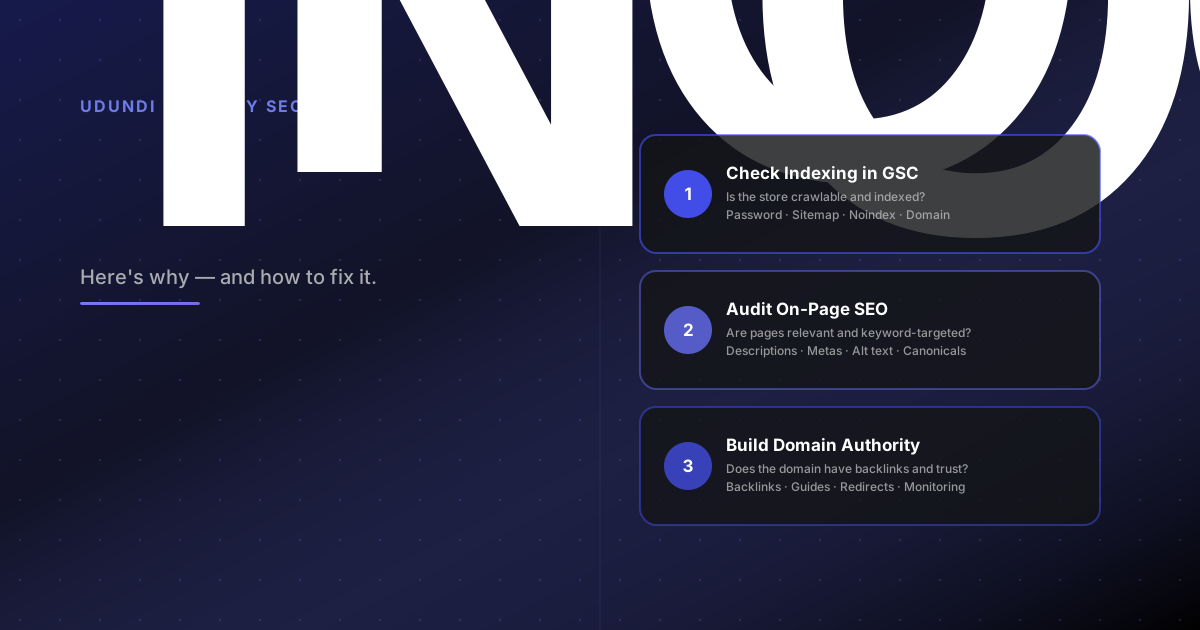
A Shopify store that looks right and sells well can still sit on page five of Google. The frustrating part is that most shopify seo problems are fixable — but only if you diagnose them in the right order. Guessing at random changes wastes months.
This guide walks through the most common reasons a shopify store is not ranking on google and gives you a prioritized fix sequence so effort lands where it counts.
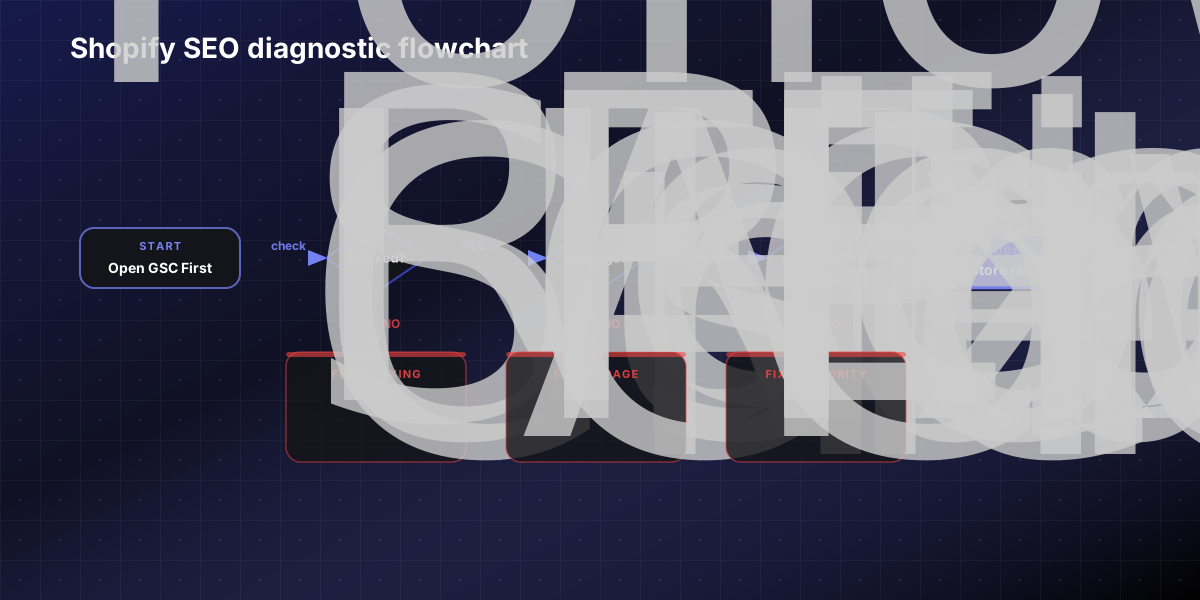
Start with Search Console, not guesses
Before touching a single meta description, open Google Search Console and answer three questions:
Is the store indexed at all? Go to URL Inspection and check your homepage and a key product page. If Google has not crawled them, everything else is irrelevant until that is fixed.
What queries is the store appearing for? The Performance report shows which keywords are triggering impressions. Zero impressions means Google either cannot find the store or is choosing not to show it.
Are there crawl errors or coverage issues? The Pages report flags indexing problems directly: 404 errors, noindex directives, redirect chains, and duplicate canonicals.
Shopify automatically generates a sitemap at yourdomain.com/sitemap.xml. If you have not submitted it to Search Console, do that first. It gives Google a direct map to every product, collection, blog, and page on the store.
If Search Console is showing activity but rankings are still low, the problem is almost always on-page relevance or authority, not indexing. Knowing which one keeps you from solving the wrong problem.
The five most common Shopify SEO problems
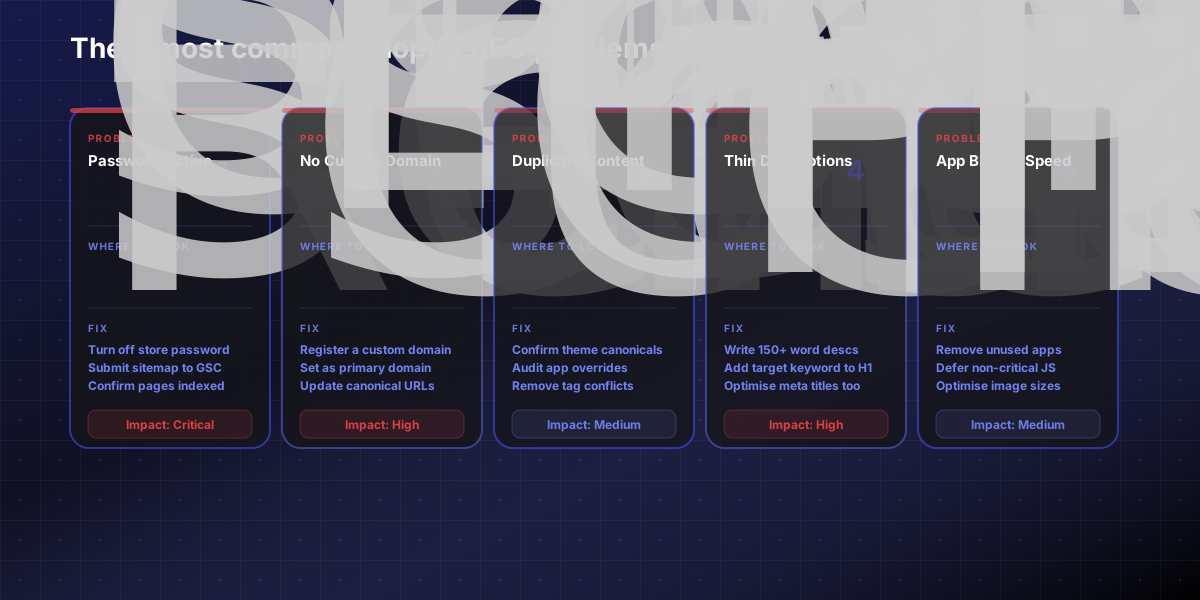
These are the issues that account for the majority of cases where a store is not ranking despite looking functional.
1. Storefront password still active or pages set to noindex
A password-protected store is invisible to Google. Search Console will report zero coverage. Check Settings → Online Store → Preferences and confirm the store is publicly accessible. Also confirm that no collections or product pages have a noindex tag left over from development or a past app.
2. Running on a myshopify.com subdomain
Shopify's own guidance recommends a custom domain. A myshopify.com URL limits your ability to build branded authority and makes it harder for Google to associate the domain with an established brand. If organic growth matters, a custom domain is not optional.
3. Duplicate content between collection and prod/uct pages
Shopify generates two valid URLs for every product: one under products/ and one under /collections/collection-name/products/. Both can be crawled. If they serve the same content without proper canonicalization, Google has to guess which one to index. Shopify adds canonical tags automatically, but apps and theme customizations sometimes override them. Check canonical tags on key pages with a browser extension or a crawl tool.
4. Thin or generic product and collection descriptions
This is the most common on-page SEO problem in why my shopify store is not ranking on google diagnoses. Google needs text on the page to understand what it ranks for. A product page with a one-sentence description, no keyword targeting, and no structured content gives Google nothing to work with. Every priority product page needs a unique, thorough description that uses the keyword the buyer would search for to find that product.
5. App bloat slowing the store down
Shopify's CDN automatically serves images in WebP format, which saves around 30% in file size over JPEG and PNG. But every unnecessary app adds JavaScript that loads on every page. A store with 25 installed apps — many unused — will consistently underperform on Core Web Vitals. Google uses page experience signals as a ranking factor. A slow store loses ground to faster competitors regardless of how good the on-page SEO is.
Step-by-step Shopify SEO fix order
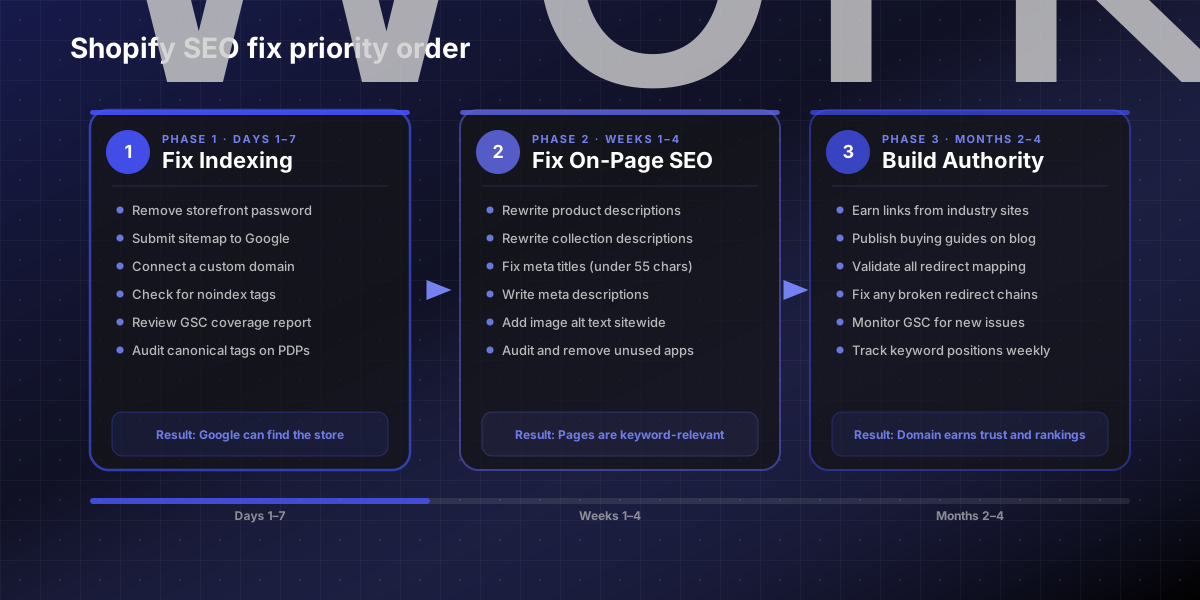
Common shopify seo problems that hurt rankings do not all carry equal weight. This is the right sequence for a step-by-step shopify seo fixes for traffic growth plan:
Fix indexing issues first. Nothing else matters if Google cannot see the store.
Set a custom domain if still running on myshopify.com.
Audit canonical tags on top product and collection pages.
Rewrite product and collection descriptions starting with your highest-revenue pages. Add the primary keyword in the H1, first paragraph, and at least one H2.
Write meta titles (under 55 characters) and meta descriptions (under 150 characters) for every key page. Shopify auto-populates these from the product title — they are rarely optimized.
Add descriptive alt text to every product image. This improves accessibility and image search indexing simultaneously.
Audit and remove unused apps. Cut every app that is not actively contributing to revenue or operations.
Submit the sitemap to Search Console and monitor crawl coverage weekly.
What to do if the store is established but still stagnant
If a store has been live for six or more months, is indexed, has decent on-page SEO, but rankings are still stuck, the problem is usually authority.
Google uses backlinks as a proxy for trust. A store with no external links pointing to it will struggle to rank for competitive product keywords no matter how clean the on-page work is. For shopify seo fixes that address authority:
Start earning links from industry publications, supplier pages, and brand partners.
Publish comparison and buying-guide content on the blog that targets informational keywords. This content earns natural links at a higher rate than product pages.
Check whether any redirects are broken after a recent platform change. A migration from WooCommerce, Magento, or BigCommerce that lost redirects also lost all the link equity pointed at those old URLs.
Udundi's Shopify SEO service covers the full picture: technical audit, on-page optimization, content strategy, and authority building — with 160% average organic traffic improvement across clients. If the store has stalled, a structured audit typically surfaces the blocker within the first two weeks.
Copy-paste SEO fix checklist
Use this to triage the store systematically rather than fixing things at random.
SHOPIFY SEO DIAGNOSTIC CHECKLIST
INDEXING
☐ Store is publicly accessible (no password)
☐ Sitemap submitted to Google Search Console
☐ Homepage and key pages confirmed indexed
☐ No unexpected noindex tags on public pages
☐ Coverage report reviewed for crawl errors
ON-PAGE
☐ Custom domain in use (not myshopify.com)
☐ Canonical tags confirmed correct on product pages
☐ H1 contains primary keyword on all key pages
☐ Meta titles: unique, under 55 characters
☐ Meta descriptions: unique, under 150 characters
☐ Product descriptions: 150+ words, keyword-targeted
☐ Collection descriptions present on all major collections
☐ Image alt text added across the catalog
☐ URL slugs are clean and keyword-relevant
TECHNICAL
☐ Unused apps removed
☐ Core Web Vitals checked in PageSpeed Insights
☐ No redirect chains on product or collection pages
☐ Internal links from homepage to priority collections
AUTHORITY
☐ Backlink profile reviewed in Search Console or Ahrefs
☐ At least 3 relevant external sites linking to the domain
☐ Blog content targets informational + comparison keywords
If this checklist uncovers more than your team can address internally, our Shopify SEO team is available for a full technical audit and implementation. You can see the kind of outcomes that structured SEO work produces on our case studies page. To start a conversation, contact us here!
Sources
Shopify blog — Shopify SEO guide (2026): https://www.shopify.com/blog/shopify-seo
Shopify Help Center — Improving SEO: https://help.shopify.com/en/manual/promoting-marketing/seo
Google Search Central — Understanding structured data: https://developers.google.com/search/docs/appearance/structured-data/intro-structured-data
FAQs
How long does it take to rank on Google after fixing Shopify SEO problems?
For established domains, technical and on-page fixes typically show improvement in Google Search Console within four to eight weeks. For newer domains — under six months old — expect three to six months before significant ranking movement. The timeline depends heavily on how competitive the target keywords are, how many quality backlinks the domain has, and how consistently new content is published after the fixes go live.
Why are my Shopify products not showing up in Google?
The most common reasons are: the store is still behind a password, the sitemap has not been submitted to Google Search Console, a `noindex` tag is blocking the page, or the product pages have thin or duplicate content that Google is choosing not to surface. Start with URL Inspection in Search Console to confirm whether Google can see the page at all before investigating content quality.
Does Shopify handle SEO automatically?
Shopify handles around 80% of technical SEO automatically — canonical tags on product pages, sitemap generation, SSL certificates, and mobile-responsive themes are all built in. The remaining 20% is on the merchant: writing keyword-targeted descriptions, configuring meta titles and descriptions, adding image alt text, building backlinks, and removing app bloat that affects page speed. The platform handles the foundation; on-page and off-page work is still required.
What is the biggest Shopify SEO mistake brands make?
Publishing product pages with thin or duplicate descriptions is the most consistent mistake. A page with three sentences of copy and no keyword targeting gives Google no signal about what to rank it for. The fix is straightforward — write unique, thorough descriptions that answer the buyer's question and use the search term they would actually type — but it requires time and scale across a large catalog.
Can duplicate content hurt my Shopify store's rankings?
It can, but Shopify's automatic canonical tags manage most of the duplicate URL risk created by the platform's URL structure. The more damaging duplicate content is usually between collection and product descriptions that use the same boilerplate text across dozens of pages. Each page should have a unique description that reflects the specific product or collection it represents.