
Shopify Cart Abandonment Fixes: 12 Tests to Run First
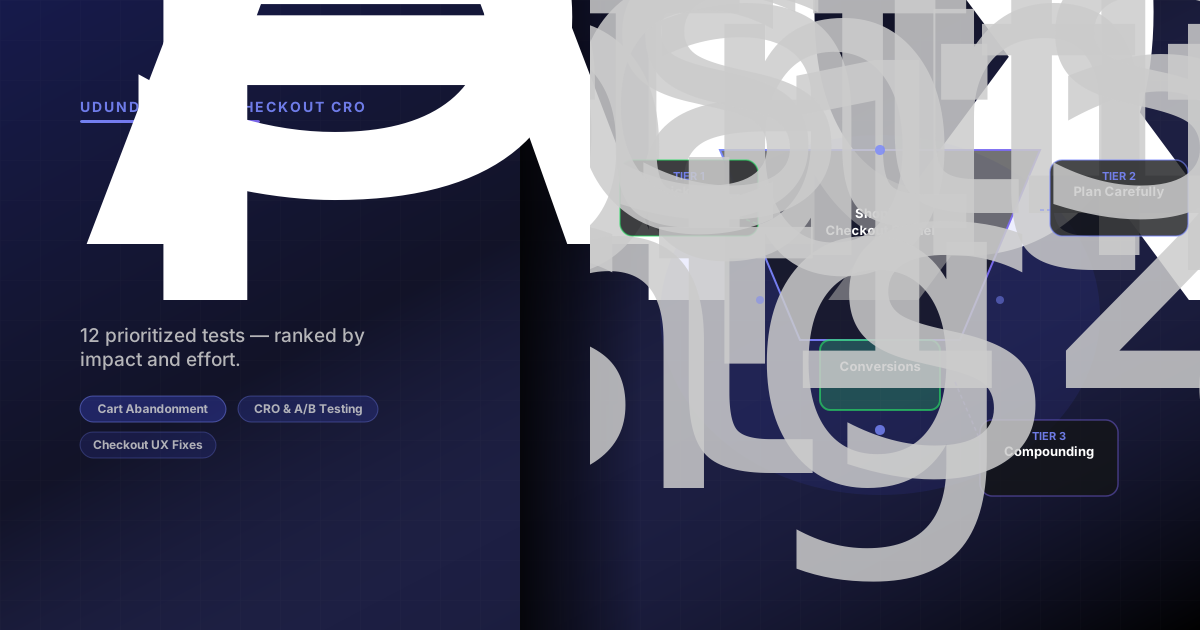
Stop losing sales to cart abandonment. Here are 12 prioritized checkout conversion tests for Shopify stores — ranked by impact and effort so you know where to start.
Shopify Cart Abandonment Fixes: 12 Tests to Run First
Seven out of every ten shoppers who add something to your cart will leave without buying. That's not an opinion — the Baymard Institute's average across 50 studies puts the **shopify cart abandonment** rate at 70.22%. On mobile, it climbs to 85%.
The good news: Baymard also estimates that better checkout design alone could recover a 35% increase in conversion rate for a typical ecommerce store. Most of that improvement doesn't require custom development. It requires knowing what to test and in what order.
This guide gives you 12 prioritized tests for **checkout conversion optimization**, ranked by impact-to-effort ratio so you can start with the fastest wins.
Why Shoppers Leave: The Root Causes
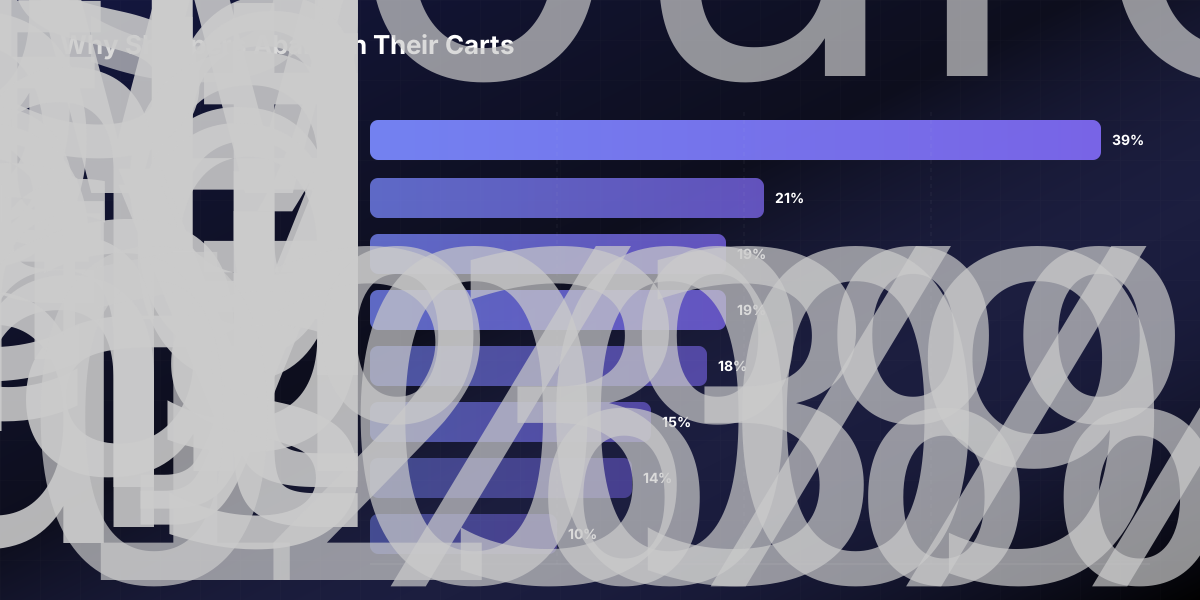
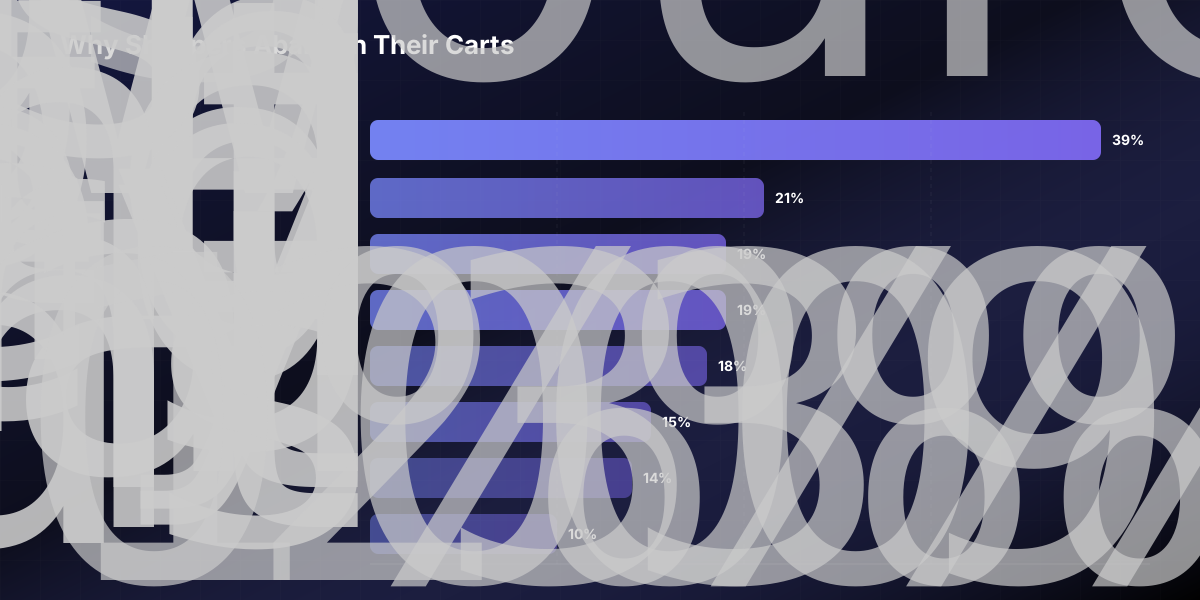
Before running any test, you need to understand what you're fixing. Baymard's research — excluding people who were "just browsing" — shows the leading causes of checkout abandonment:
39% — Extra costs too high (shipping, taxes, fees)
21% — Delivery too slow
19% — Didn't trust the site with card information
19% — Required to create an account
18% — Checkout was too long or complicated
15% — Returns policy wasn't satisfactory
14% — Couldn't see total order cost upfront
10% — Not enough payment methods
Almost every cause on this list is solvable through design and configuration changes — no major replatforming required. The 12 tests below address each of them directly.
The 12 Tests, Prioritized by Impact and Effort
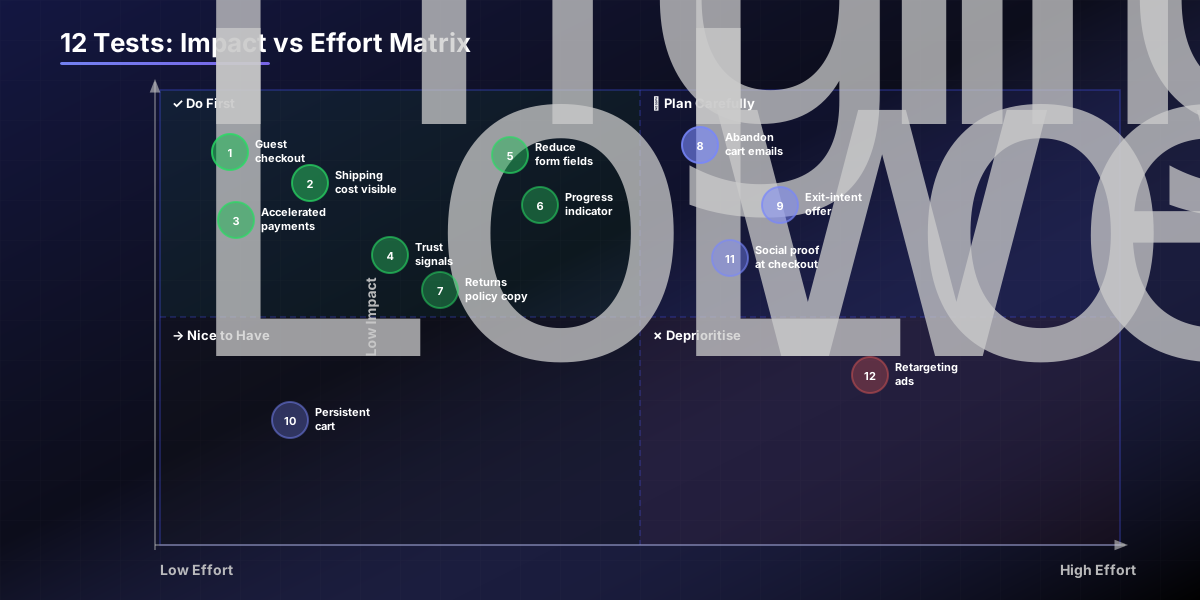
Tier 1 — Quick Wins (High Impact, Low Effort)
These four tests can be live in an afternoon. Do them before anything else.
Test 1: Enable Guest Checkout
If your Shopify store still requires account creation before checkout, you're blocking 19% of potential buyers. Go to Settings → Checkout → Customer accounts and set it to "Accounts are optional." Run the test for two weeks and compare completed checkout rates.
Test 2: Show Shipping Costs Before Checkout
39% of abandoners leave because costs are higher than expected. The fix isn't always offering free shipping — it's eliminating surprise. Add a shipping estimator to your cart page, or display a "Free shipping over $X" threshold bar. Shopify's native cart can be updated through your theme editor; most themes support this without code.
Test 3: Add Accelerated Payment Options
Apple Pay, Google Pay, and Shop Pay let returning customers skip the entire form. Shop Pay specifically converts at 1.72× the rate of standard Shopify checkout — and on mobile, that multiplier rises to 1.91×. Enable these in Settings → Payments → Accelerated checkouts. This is free configuration, not a build.
Test 4: Add Trust Signals to the Checkout Page
19% of abandoners don't trust the site with their card details. You can't add custom HTML to Shopify's native checkout on basic plans, but you can: display security badges on the cart page before checkout begins, add a "Your data is secure" line to your cart template, and make sure your SSL certificate is active. Shopify Plus merchants can customise the checkout directly.
Tier 2 — Structural Fixes (High Impact, Medium Effort)
These require theme edits or configuration work, but deliver consistent lift.
Test 5: Reduce Checkout Form Fields
The average Shopify checkout contains more form fields than necessary. The optimal checkout flow is 7–8 fields for domestic orders. Audit what you're currently asking for: is the phone number field mandatory? Are you asking for both a billing and shipping address when they're almost always the same? Remove or make optional anything that isn't legally or operationally required.
Test 6: Add a Progress Indicator
Shoppers abandon partly because they don't know how many steps are left. A simple "Step 2 of 3" indicator reduces anxiety and sets expectations. If your theme doesn't include one, this is a small theme modification — or use a checkout app like Checkout Blocks (available on Shopify Plus) to add one without custom code.
Test 7: Display Your Returns Policy Mid-Checkout
15% abandon because they can't find or aren't satisfied by the returns policy. You don't need to rewrite it — you need to surface it at the right moment. Add a one-line summary ("Free returns within 30 days — no questions asked") to your cart page template or cart drawer. Link to the full policy. Shoppers who see a clear return window are more confident completing the purchase.
Test 8: Launch a Three-Email Abandoned Cart Sequence
Cart abandonment emails have an open rate of over 40% — nearly double the retail email average. Of those who open, roughly half click, and half of those convert. The timing of your sequence matters more than the copy. Use this structure: ABANDONED CART EMAIL SEQUENCE ───────────────────────────────────────────────── Email 1 — 1 hour after abandonment Subject: "You left something behind" Content: Product image + name + price. Low friction. No discount yet. One clear CTA: "Complete your order"
Email 2 — 24 hours after abandonment Subject: "Still thinking it over?" Content: Add social proof (reviews, rating). Address the most common objection for your product type (size, fit, delivery time). Optional: small incentive (free shipping, not a % discount).
Email 3 — 72 hours after abandonment Subject: "Last chance — your cart expires soon" Content: Urgency + final offer if you choose to include one. Don't overuse discounts or you train shoppers to abandon on purpose. ─────────────────────────────────────────────────
Set this up in Klaviyo, Omnisend, or Shopify Email. The first email alone recovers the majority of the revenue — don't wait six hours to send it.
Tier 3 — Conversion Multipliers (Medium Effort, Compounding Returns)
These take longer to implement but generate ongoing passive recovery.
Test 9: Add an Exit-Intent Offer on the Cart Page
When a visitor moves to close the tab or navigate away from the cart, trigger a lightweight offer — free shipping, a small gift, or a discount code. Tools like Privy or OptiMonk integrate directly with Shopify and require no custom development. Test whether showing an offer improves completion rate versus showing nothing.
Test 10: Implement a Persistent/Sticky Cart
If a shopper navigates away from the cart to check a product detail, will they find their cart intact when they return? A persistent cart (Shopify's default behaviour for logged-in users) should also work for guests via local storage. Verify your theme handles this correctly and doesn't clear cart contents on session end.
Test 11: Add Social Proof Near the Checkout Button
Product reviews displayed on the cart page address pre-purchase doubt at the exact moment it's strongest. Add a "What customers are saying" block above or adjacent to the checkout CTA in your cart template. Three short reviews — especially ones that address fit, quality, or delivery — outperform generic star ratings.
Test 12: Retarget Abandoners via Paid Channels
Retargeting brings back up to 26% of otherwise-lost cart abandoners. Install the Meta Pixel and Google Ads tag on your store, then create dynamic product ads that show the exact items the shopper left behind. Budget doesn't need to be large — a targeted retargeting campaign for warm audiences is one of the highest-ROI paid channels available to Shopify stores.
Your Cart Abandonment Fix Priority Checklist
Work through these in order. Check each off before moving to the next tier. CART ABANDONMENT FIX CHECKLIST ───────────────────────────────────────────────────────────── TIER 1 — QUICK WINS (do this week) ☐ Guest checkout is enabled (no forced account creation) ☐ Shipping cost visible on cart page before checkout ☐ Shop Pay, Apple Pay, and Google Pay are enabled ☐ Trust signals visible on cart page (SSL, badges, policy)
TIER 2 — STRUCTURAL FIXES (do this month) ☐ Checkout form fields audited and unnecessary ones removed ☐ Progress indicator added to checkout flow ☐ Returns policy summary visible on cart page ☐ 3-email abandoned cart sequence live with correct timing
TIER 3 — COMPOUNDING FIXES (ongoing) ☐ Exit-intent offer tested on cart page ☐ Persistent cart verified for guest sessions ☐ Product reviews displayed near checkout CTA ☐ Meta Pixel + Google Ads retargeting campaigns active
─────────────────────────────────────────────────────────────
Cart abandonment is guaranteed to happen. What's not guaranteed is whether you recover any of it. Run the Tier 1 fixes this week — they're free, fast, and move the metrics before you've written a line of code.
If you want a structured testing roadmap across your full funnel — not just checkout — [our CRO team](/ab-testing) runs ongoing experimentation retainers for Shopify and Shopify Plus stores. We also work with brands who've exhausted the low-effort fixes and need custom checkout extensions, personalisation logic, or post-purchase flows — see what that looks like in practice.