

How to Optimize Shopify Collection Pages for SEO and Sales
Learn how to optimize Shopify collection pages for SEO and conversions with a practical page template, keyword tips, and on-page tactics that drive real traffic and sales.
How to Optimize Shopify Collection Pages for SEO and Sales
Collection pages are the most under-optimized real estate in most Shopify stores. Merchants spend hours on product descriptions and blog posts, then leave their collection pages with a two-sentence placeholder and the default theme layout. That's a mistake — because collection pages are exactly what Google wants to serve when someone searches "women's linen trousers" or "outdoor LED lighting."
This guide gives you a practical framework for shopify collection page seo: what to fix, what to write, and how to structure each page so it ranks and converts.

Why Collection Pages Are Your Highest-Value SEO Asset
When a shopper searches a category term — "men's running shoes," "ceramic cookware set," "sustainable activewear" — Google almost always surfaces a collection page, not an individual product. That's because the intent is browse-first, buy-second. The searcher wants options before committing.
This means your collection pages compete for transactional, high-volume keywords that product pages can't win. Ignoring collection page optimization means leaving those keywords to your competitors.
Three things make collection pages especially powerful for organic traffic:
They aggregate product signals, giving Google rich context about a category
They earn backlinks naturally (people link to category resources, not single SKUs)
They serve as conversion hubs — one well-optimized page can drive sales across dozens of products
Step 1: Choose the Right Keyword for Each Collection
Before you touch the page, you need to know what you're targeting. Most stores make the mistake of naming collections after internal product logic ("Collection A," "New Arrivals") rather than the terms shoppers actually search.
How to find the right keyword:
Type your category into Google and look at what autocomplete suggests — those are real searches
Check the "People also ask" and "Related searches" sections at the bottom of the SERP
Look at how your top competitors name their collection pages and URL slugs
Use Google Search Console to find queries that are already landing on your collection pages but not converting — these often reveal better keyword targets
Once you have your primary keyword (e.g., "organic cotton t-shirts"), note 3–4 related terms (e.g., "100% organic tee," "sustainable cotton shirts," "eco-friendly t-shirts"). You'll use these throughout the page.

Step 2: Optimize the Collection Page Template
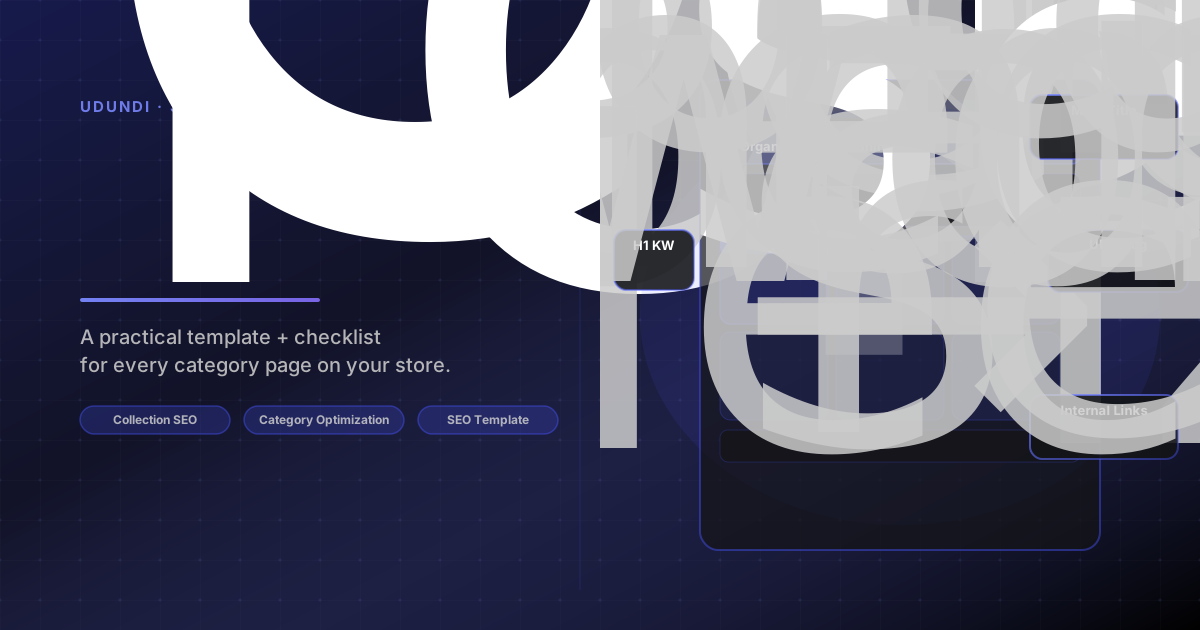
Here's the editable structure every ecommerce category page seo playbook should start from. Use this as a checklist each time you build or update a collection page.
COLLECTION PAGE TEMPLATE ─────────────────────────────────────────────────────
[H1] — Primary keyword, written for humans Example: "Organic Cotton T-Shirts for Men and Women"
[URL SLUG] — /collections/organic-cotton-t-shirts • Short, keyword-containing, no stop words • Never change a live URL without setting a 301 redirect
[META TITLE] — Under 55 characters Example: "Organic Cotton T-Shirts | Free Shipping | Brand Name"
[META DESCRIPTION] — Under 155 characters Example: "Shop our range of 100% organic cotton tees. Ethically made, pre-shrunk, and available in 12 colours. Free shipping on orders over $75."
[COLLECTION DESCRIPTION — TOP] — 80–120 words above product grid • Contains H1 keyword in first sentence • Includes 2–3 natural uses of related terms • Answers: "Who is this for?" and "What makes these products worth buying?" • No keyword stuffing — write for the shopper, not the crawler
[PRODUCT GRID] • Sort order: bestsellers first (or featured + bestsellers) • Product card images: consistent dimensions, compressed • Product titles: keyword-aware but natural • Price and variant info visible without hover
[COLLECTION DESCRIPTION — BOTTOM] (optional, 100–200 words) • For high-competition keywords, add a second text block below the grid with additional context: material details, size guides, brand story • Good place for long-tail variants and FAQs • Do NOT duplicate the top description — each block adds value
[INTERNAL LINKS] • Link to 2–3 related collections • Link to relevant blog content if it exists • Include breadcrumb navigation (Home > Category > Subcategory)
─────────────────────────────────────────────────────────────
Step 3: Write a Collection Description That Actually Works
Most collection descriptions fail in one of two ways: they're either absent, or they're stuffed with keywords that read like the page was written by a robot having a bad day.
A good collection description does three things:
Signals relevance — Google needs enough text to understand what the page is about. Aim for 80–150 words in the top description block.
Builds buyer confidence — Briefly answer why these products are worth considering (materials, use cases, what makes your selection different).
Uses natural language — Your primary keyword belongs in the first sentence. Related terms belong in the body. Nothing should feel forced.
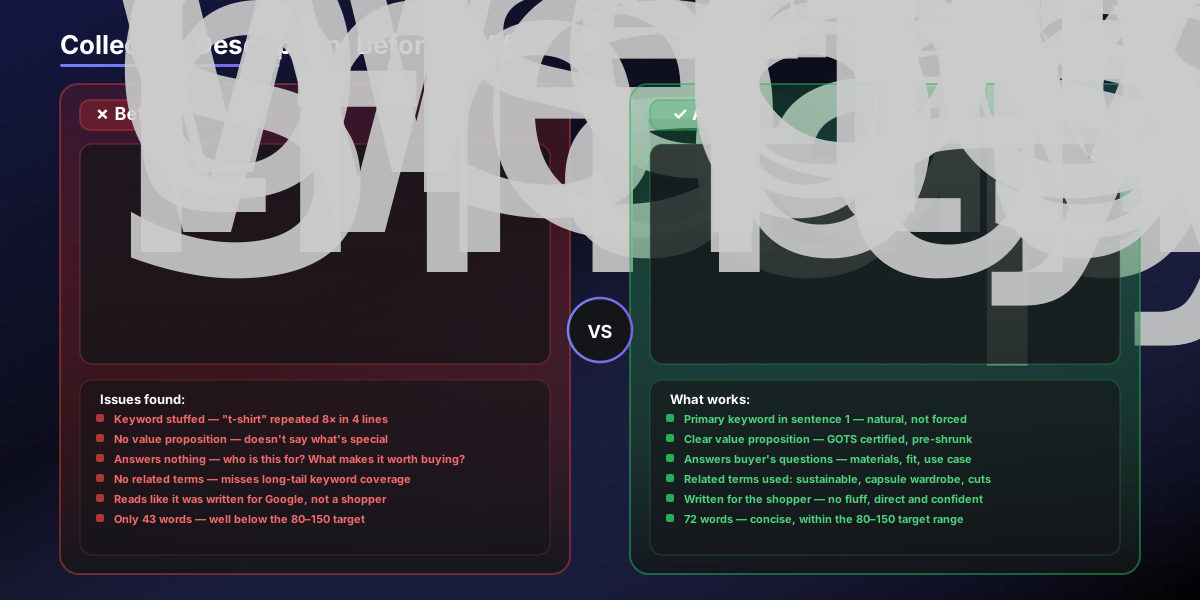
Example (organic cotton t-shirts): Our organic cotton t-shirts are made from GOTS-certified fabric — no synthetic blends, no toxic dyes. Each style is pre-shrunk and sized to hold its shape after a hundred washes. Whether you're building a capsule wardrobe or replacing a worn-out favourite, you'll find cuts for every body type: relaxed, fitted, cropped, and oversized. Explore our full range of sustainable cotton shirts below.
That's 72 words. It contains the primary keyword once, two related terms naturally, and answers the buyer's immediate questions.
Step 4: Fix the Technical Basics
Even a well-written collection page won't rank if the technical foundation is broken.
The four technical issues that kill collection page SEO:
Filter URLs creating duplicate pages When a shopper filters by size, colour, or price, Shopify often generates a new URL. If those URLs are indexed, Google sees dozens of near-identical pages. Fix: add ?sort_by= and filter parameters to your robots.txt disallow rules, or use canonical tags pointing back to the main collection URL.
Pagination handled incorrectly If your collection has more than one page, each paginated URL (?page=2) should either be canonicalized to the main URL or left indexable with unique content. Most stores should canonicalize.
Thin or missing meta titles Shopify's default meta title for a collection is just the collection name. That's rarely enough. Go to Online Store → Collections → [Collection] → Search engine listing and write a custom title and description for every priority collection.
Images without alt text Collection banner images and product thumbnails both need descriptive alt text. Use the format: [product type] – [key differentiator] – [brand name].
Step 5: Improve Conversion Rate Alongside SEO
Getting traffic to a collection page is half the job. The page also needs to convert. These two goals aren't in conflict — most of the changes that help SEO also help conversion.
High-impact conversion improvements for collection pages:
Sort order matters: Put bestsellers first. Shoppers who see popular products immediately feel confident they're in the right place.
Faceted filtering: Let shoppers filter by size, material, price, or use case — but implement it without creating indexable duplicate URLs (see Step 4).
Product card copy: The product title and price visible on the grid card is the first selling point. Make titles descriptive, not just SKU codes.
Collection-level social proof: Add a short line like "4.8 stars · 1,200+ reviews" near the top of the page, aggregated across the collection.
Mobile layout: More than 60% of ecommerce browsing happens on mobile. Test your collection pages on a phone. Can shoppers filter, scroll, and add to cart without friction?
A well-structured collection page — fast, filterable, with strong product cards and a clear description — keeps bounce rates low and session depth high. Both of those signals feed back into your rankings.

Your Collection Page SEO Checklist
Use this before publishing or auditing any collection page:
COLLECTION PAGE SEO AUDIT CHECKLIST ─────────────────────────────────────────────────────
ON-PAGE
☐ H1 contains primary keyword
☐ Meta title is under 55 characters and keyword-aware
☐ Meta description is under 155 characters and compelling
☐ URL slug is short and keyword-containing
☐ Top description is 80–150 words with natural keyword use
☐ Related/long-tail terms appear in the body copy
TECHNICAL
☐ Filter/sort URLs are not indexed (robots.txt or canonical)
☐ Paginated URLs handled correctly
☐ Breadcrumb navigation is present
☐ All images have descriptive alt text
☐ Page loads in under 3 seconds on mobile
INTERNAL LINKING
☐ 2–3 links to related collections on the page
☐ This collection is linked from navigation or homepage
☐ Collection appears in the sitemap
CONVERSION
☐ Bestsellers appear first in the product grid
☐ Collection-level social proof is visible
☐ Mobile layout tested and functional
☐ Filtering is available without creating duplicate URLs
─────────────────────────────────────────────────────
Collection pages aren't a nice-to-have SEO project — they're often the fastest path from near-zero traffic to consistent, compoundable organic visits. Fix the fundamentals, write descriptions that treat shoppers like adults, and keep technical issues from undermining the work.
If this audit surfaces more than you want to tackle alone, our Shopify SEO team is available for a free review. We also work on theme-level collection page changes for stores that need structural fixes, and run A/B tests on collection layouts and sort orders to close the gap between traffic and revenue.