


Shopify Store Setup Guide: Launch-Ready in 2–4 Weeks
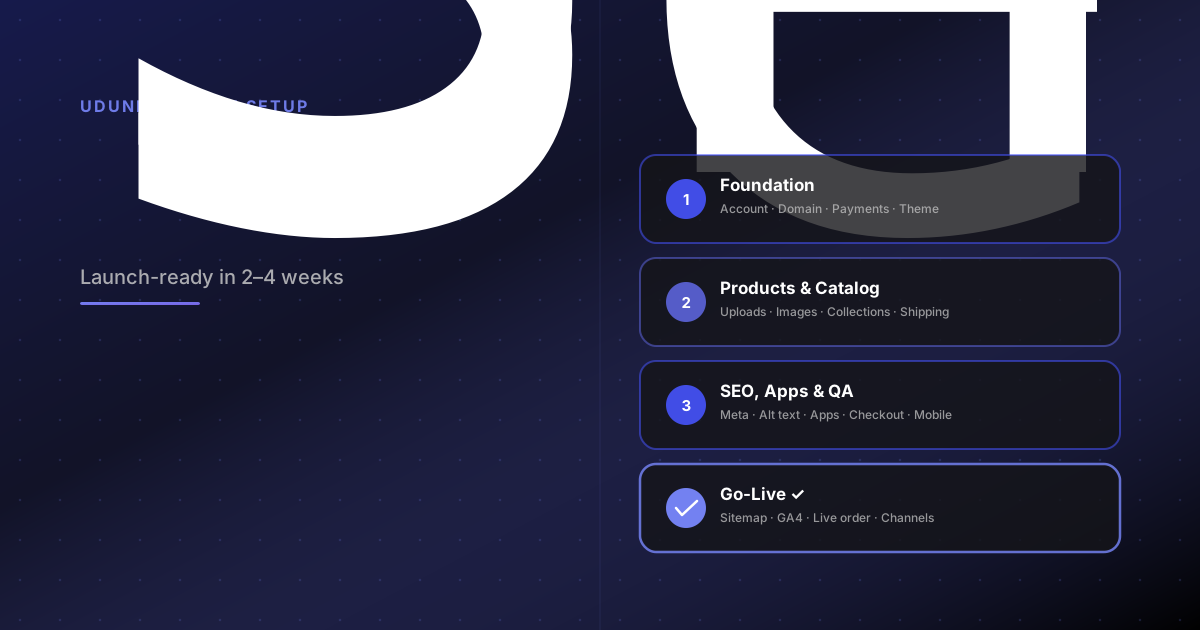
A step-by-step shopify store setup guide with a phase-by-phase shopify launch checklist. Configure, test, and go live in 2–4 weeks.
Most Shopify store setup delays do not come from the platform being hard to use. They come from the absence of a stopping point. Without a phase-based plan, setup is always one more thing away from done — one more product image to replace, one more app to evaluate, one more policy page to rewrite.
This guide gives you a four-week milestone structure that moves from account creation to go-live. Whether you are a first-time founder or migrating from another platform, the structure is the same.
What "launch-ready" actually means
Launch-ready does not mean perfect. It means the store can process a transaction, present the brand clearly, and give a customer enough confidence to buy.
The brands that ship on time share one habit: they separate launch-blockers from post-launch improvements. If something does not prevent a customer from completing a purchase, it is not a blocker. Apply that filter to every task in week three or four and you will cut the launch date significantly.
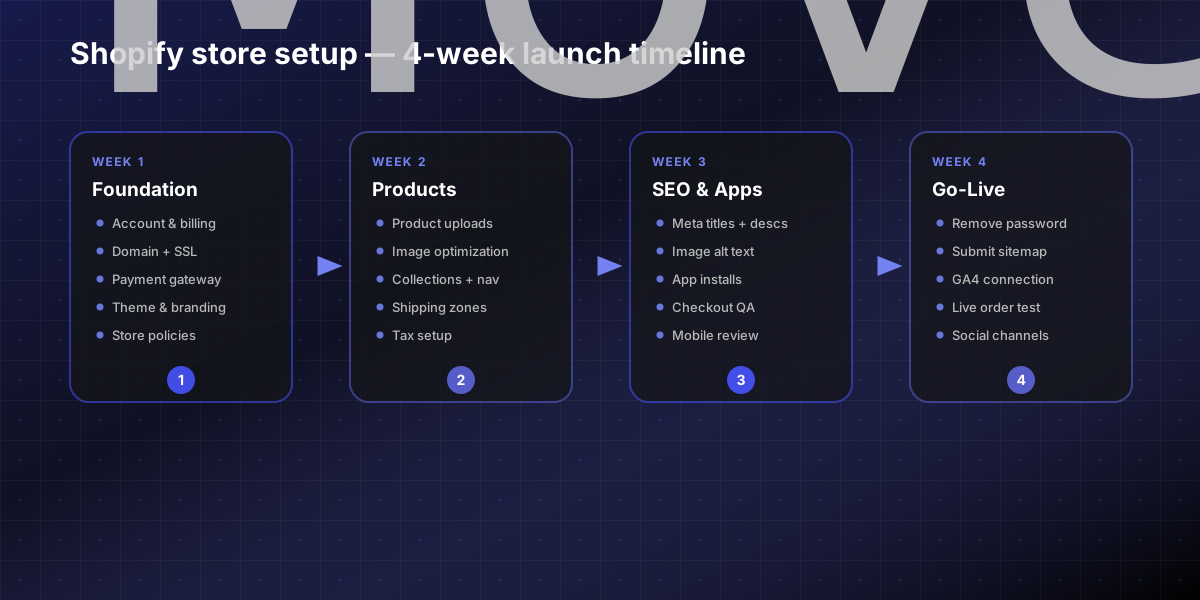
Week 1 — Store foundations
The first week is infrastructure. Everything else builds on top of it.
Configuration tasks:
Create your Shopify account and select the right plan for your expected order volume.
Connect your custom domain and confirm SSL is active before sharing the store link.
Set up Shopify Payments or your preferred gateway. Run a test transaction in development mode before moving on.
Install and configure your theme. Apply brand colors, typography, and logo.
Publish store policies: refund policy, privacy policy, and terms of service. Shopify provides starter templates — review them for your jurisdiction before publishing.
Configure notification emails so order confirmations and shipping updates reflect your brand voice.
By end of week one you should be able to see a live storefront behind a password and process a test order.
Week 2 — Products and collections
For a Shopify store setup checklist for first-time founders, this is typically the heaviest week in raw execution — and the easiest place to lose scope.
Keep catalog work structured:
Upload products with complete data: title, description, images, variants, and pricing. Do not upload as placeholders.
Optimize product images before upload. Shopify recommends 2048×2048px square images for the best zoom quality on desktop and mobile.
Build your collection hierarchy. Start with the main navigation collections and only add sub-collections where genuinely needed.
Configure shipping zones and rates. Complex shipping rules surface here — not during checkout QA in week three.
Set up tax collection for all selling regions. Shopify Tax handles US compliance automatically. International selling requires more direct attention.
A smaller, fully configured catalog ships faster than a large, incomplete one. Resist expanding the catalog before launch.
Week 3 — SEO, apps, and checkout QA
By week three the store should look like a store. Now make it discoverable and verify it works end to end.
On-page SEO before launch:
Write unique meta titles and descriptions for every product and collection page.
Set clean URL handles — Shopify auto-generates these but they are editable.
Add descriptive alt text to every product image. This improves both accessibility and image search indexing.
Essential apps to install before launch:
Email marketing: Klaviyo, Shopify Email, or Mailchimp
Customer reviews: Judge.me or Stamped.io
Analytics: Google Analytics 4 with Shopify integration
Install only what launch requires. Over-installing apps before launch creates performance issues and complicates checkout QA. For stores that need custom checkout behavior, subscription logic, or third-party integrations, Shopify app development is worth evaluating before patching the gap with multiple off-the-shelf tools.
QA pass: Run the full purchase flow on desktop and mobile. Confirm payment processing works, order confirmation emails fire, and the cart clears correctly after purchase. Do this on at least two devices.
Week 4 — Pre-launch review and go-live
The final week is verification, not building.
Pre-launch tasks:
Remove the storefront password.
Submit your sitemap to Google Search Console (`yourdomain.myshopify.com/sitemap.xml`).
Confirm GA4 is receiving live data from the storefront.
Verify all legal pages are linked in the footer.
Confirm shipping rates display correctly for your primary markets.
Place a live test order — small dollar amount, refund it immediately after.
Connect any sales channels: Instagram Shopping, Google Shopping, or marketplace integrations.
If you are migrating from another platform rather than launching fresh, pre-launch also includes URL redirect validation. Migrations from WooCommerce, Magento, or BigCommerce to Shopify require careful redirect mapping — skipping it is the most common cause of post-launch organic traffic loss.
DIY setup vs. Shopify setup services
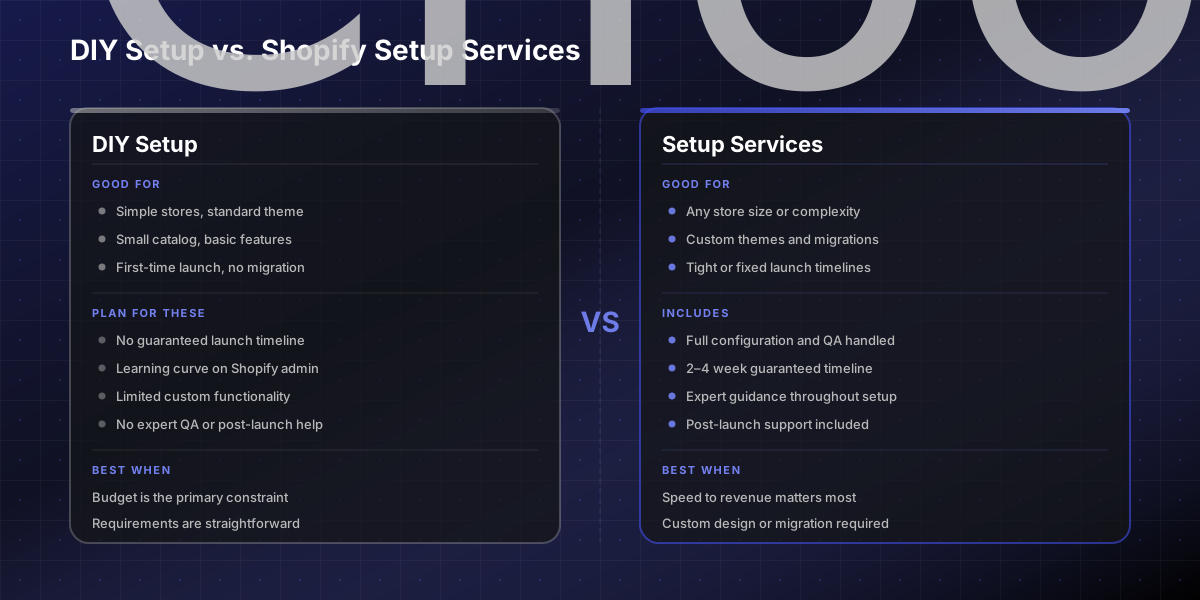
How to launch a shopify store in 2 to 4 weeks is realistic for a straightforward build: a theme-based design, a clean catalog, and standard Shopify features. The timeline stretches when complexity enters — a custom theme, platform migration, complex integrations, or B2B pricing rules.
That is where shopify setup services versus DIY is a genuine decision, not just a budget one. Our Shopify store setup service covers full configuration through go-live, including QA and post-launch support. Stores launched through a structured setup process see significantly better conversion performance from day one.
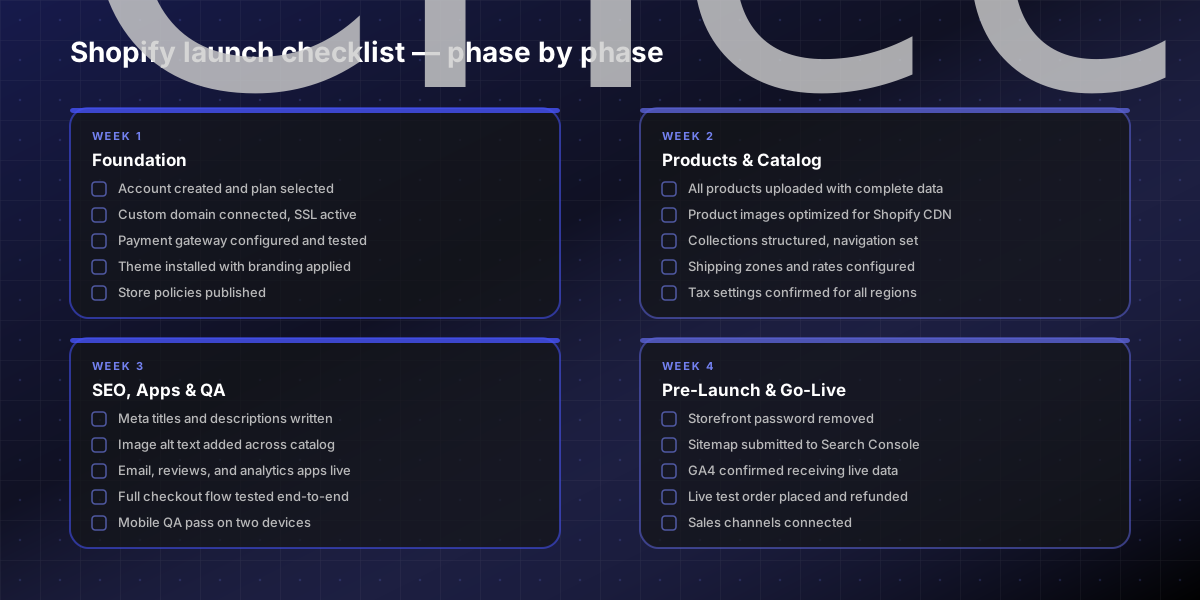
Copy-paste launch milestone checklist
Use this as your running task list through all four phases.
SHOPIFY STORE SETUP — MILESTONE CHECKLIST
WEEK 1 — FOUNDATIONS
☐ Shopify account created and plan selected
☐ Custom domain connected, SSL confirmed active
☐ Payment gateway configured and test order placed
☐ Theme installed with branding applied
☐ Store policies published (refund, privacy, terms)
☐ Notification emails reviewed and branded
WEEK 2 — PRODUCTS & CATALOG
☐ All products uploaded with complete data
☐ Images optimized at 2048×2048px square
☐ Collections structured with clear navigation
☐ Shipping zones and rates confirmed
☐ Tax settings configured for all selling regions
WEEK 3 — SEO, APPS & QA
☐ Meta titles and descriptions written for key pages
☐ Image alt text added across all products
☐ Email marketing, reviews, and GA4 apps live
☐ Full checkout flow tested on desktop and mobile
☐ Mobile QA pass on at least two devices
WEEK 4 — PRE-LAUNCH & GO-LIVE
☐ Storefront password removed
☐ Sitemap submitted to Google Search Console
☐ GA4 confirmed receiving live data
☐ Legal pages linked in footer
☐ Live test order placed and refunded
☐ Sales channels connected
If this checklist surfaces more work than expected, or you are running setup alongside other responsibilities, contact us — we can handle the full configuration and go-live process in two to four weeks.
FAQs
How long does a Shopify store setup take?
A straightforward store — standard theme, under 100 SKUs, no platform migration — can go live in two to four weeks with focused effort. Stores with custom themes, complex integrations, or large catalogs typically need four to eight weeks. The two biggest variables are catalog completeness and how quickly stakeholders can review and approve decisions.
What is the difference between DIY setup and Shopify setup services?
DIY setup works for simple stores using a Shopify theme and standard features with a small catalog. **Shopify setup services** make more sense when the project involves a custom theme build, platform migration, complex shipping or tax configuration, or custom app integrations. The cost of professional setup is typically recovered through faster time-to-revenue and fewer post-launch fixes.
What should I configure first on a new Shopify store?
Start with infrastructure before catalog: account settings, domain, payment gateway, and theme. A store with 10 fully configured products that can process a transaction is more launch-ready than a store with 200 placeholder products and broken checkout. Get one complete purchase flow working before expanding the catalog.
Do I need apps before I launch my Shopify store?
You need three at launch: an email marketing platform, a customer reviews tool, and an analytics integration. Everything else can follow after go-live. Over-installing apps before launch slows the store and makes checkout QA harder. Install the minimum, test everything completely, then layer in additional tools as specific needs emerge.
What SEO work should I complete before launching a Shopify store?
Before launch: write meta titles and descriptions for all key pages, add image alt text across the catalog, set clean URL handles, submit your sitemap to Google Search Console, and install GA4. Setting this up before launch means search engines index the store correctly from day one — rather than recrawling a corrected version weeks later, which costs time in the rankings.