

Shopify Theme Customization: What to DIY vs Hire Out
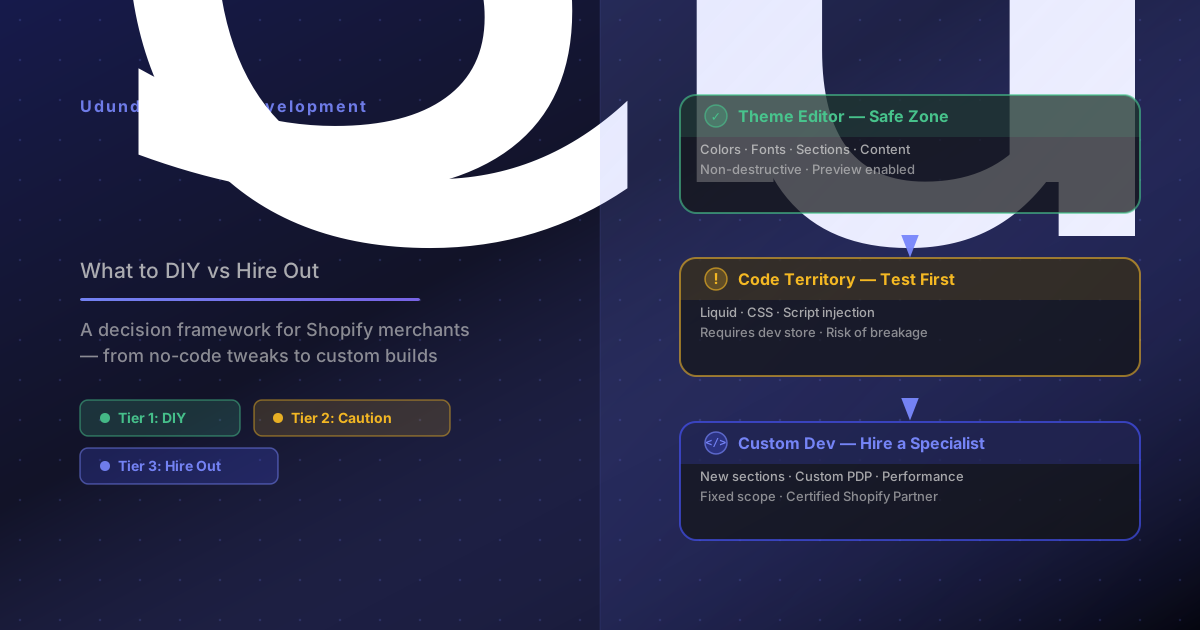
A practical decision framework for Shopify theme customization in 2026 — know when to use the theme editor yourself, and when to bring in a Shopify developer for custom work.
Every Shopify merchant eventually hits the same wall: the drag-and-drop editor stops doing what you need it to do.
Maybe you want a custom section that doesn't exist. Maybe the theme's product page layout is costing you conversions. Maybe you've been shown a competitor's site and told, "Make it look like that."
Shopify theme customization spans an enormous range of complexity — from adjusting a font in the theme editor to building a fully custom Shopify theme from scratch. The question isn't just "can I do this?" It's: which category does this work fall into, and what's it worth to do it right?
This guide gives you a practical decision framework — a tiered view of customization work, how to know when it's safe to DIY, and when the risk of breaking something important means you should hire a Shopify developer.
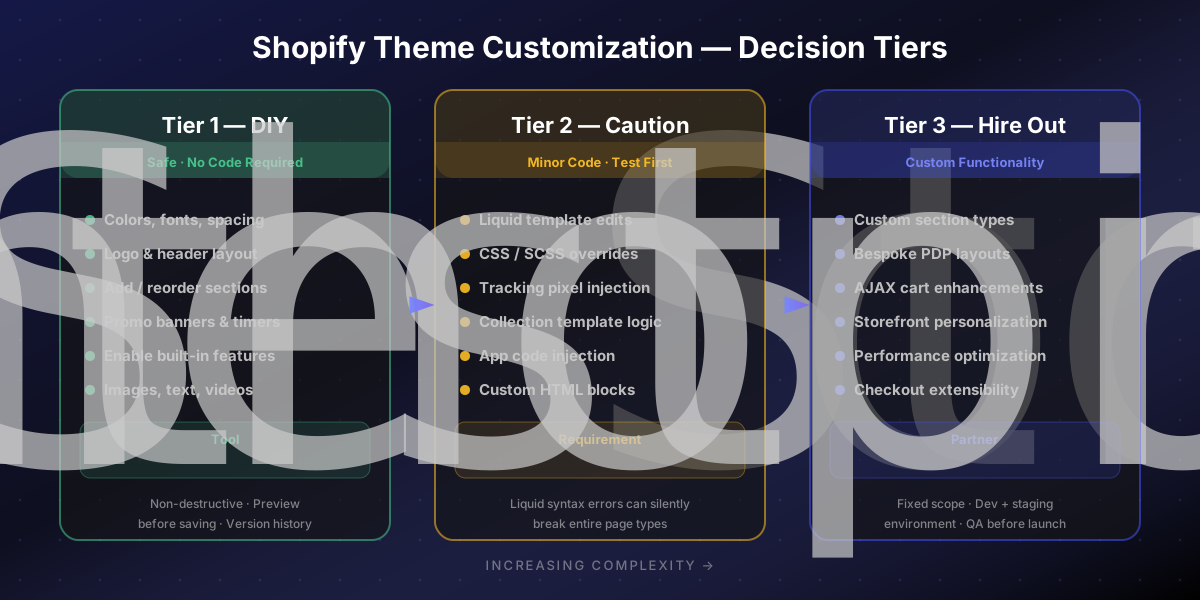
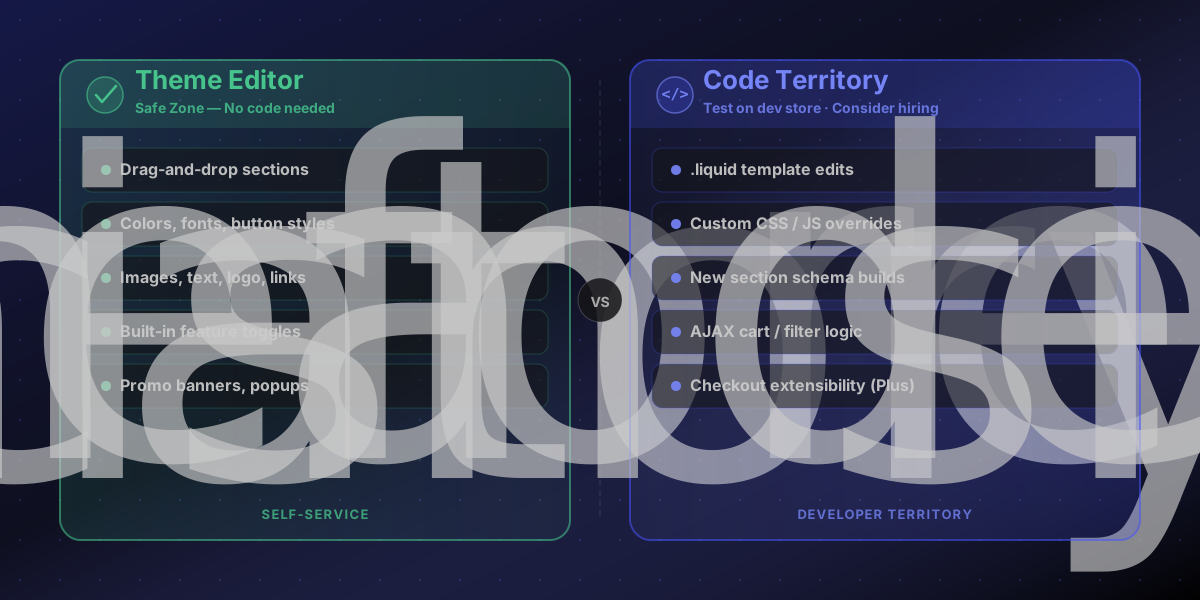
Tier 1 — Safe to DIY (no code required)
Shopify's Online Store Editor (the theme editor) handles a surprisingly large range of changes with zero risk to your store's functionality. If a change lives inside the editor's drag-and-drop UI, it's generally safe to do yourself.
What falls here:
Color palette and typography settings
Logo, favicon, and header layout options
Adding, reordering, or hiding sections on templates
Adjusting spacing, image ratios, and button styles
Enabling/disabling built-in features like sticky header, quick view, or mega menu
Writing and updating section content: text, images, videos, links
Setting up announcement bars, promo banners, and countdown timers
The theme editor is non-destructive — you can preview changes before saving, and Shopify keeps a version history so you can roll back if needed.
When it breaks down: Some merchants over-customize in the editor, stacking conflicting settings that produce unexpected layout results. If you've been clicking around the editor for two hours and the header still looks wrong, it's a signal to stop — not push further.
Tier 2 — Proceed with caution (minor code edits)
This is where most merchant DIY projects go wrong. Shopify themes are built in a templating language called Liquid, and even small edits to `.liquid` files can have unintended effects across multiple page types.
What falls here:
Editing .liquid template files to move or restructure page elements
Modifying CSS/SCSS files to override theme styles
Adding tracking pixels, scripts, or custom HTML to theme files
Adjusting collection/product template logic
Installing and styling apps that require theme code injection
The real risk: Liquid template changes can break your storefront silently. A small syntax error can take down an entire page type — product pages, collections, checkout. Most merchants don't discover this until a customer screenshots the error and sends it in.
If you're comfortable with HTML/CSS and understand the basics of Liquid syntax, minor edits at this tier are manageable. If not, the expected ROI of the change needs to justify a developer's time.
Tier 3 — Hire a Shopify developer (custom functionality)
Some work is categorically outside the scope of merchant self-service. This tier covers anything that requires a new feature to be designed and built, rather than an existing one to be adjusted.
What falls here:
Building a custom section type that doesn't exist in the current theme
Creating a bespoke product page layout (custom variant selectors, bundle pickers, comparison tables)
Integrating a third-party app with a non-standard display requirement
Dynamic filtering, AJAX cart enhancements, or custom search logic
Storefront personalization based on customer data or tags
Checkout extensibility with Shopify Functions (Shopify Plus)
Performance optimization at the theme level (LCP/CLS improvements, lazy load tuning)
How to scope this work: A senior Shopify developer should be able to give you a fixed-scope estimate for most feature work. If someone can't estimate it, that's a question about how well they understand Shopify's architecture — not a sign the work is inherently unpredictable.
Udundi has shipped 250+ custom Shopify themes, and the majority of theme work we do at this tier is driven by one of two things: conversion friction on the existing PDP, or a brand redesign that the existing theme can't support.
When to skip customization entirely and rebuild
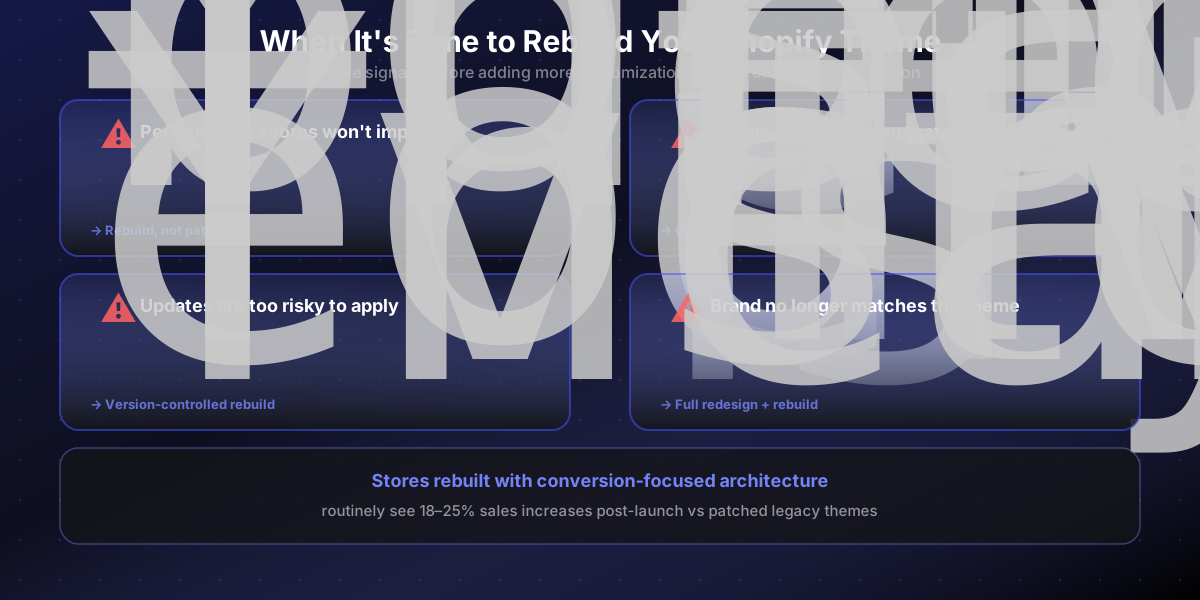
Customization has a ceiling. If your store has been patched together over several years — theme code modified by multiple developers, apps injected at multiple levels, no clear version control — the accumulated technical debt often makes a rebuild faster and cheaper than continued patching.
Signs you've hit the rebuild threshold:
Performance scores are degraded and can't be isolated — you've tried removing apps and editing CSS, but the issues persist
The theme doesn't support your current catalog structure — faceted filtering, complex variants, subscription-first merchandising
Custom sections conflict with theme updates — you've stopped updating your theme because you're afraid of breaking things
Your brand has evolved significantly — the current theme just doesn't represent where the business is now
A custom Shopify theme build typically takes 4–10 weeks depending on scope, and stores built with conversion architecture in mind routinely see 18–25% sales increases post-launch.
How to choose a Shopify developer for theme work
Not every Shopify developer is the same. The Shopify ecosystem includes freelancers, theme shop agencies, full-service agencies, and everything in between. Here's how to narrow it:
Questions to ask before hiring:
What's your experience with the specific theme I'm using?
Can you show me examples of custom sections you've built?
How do you handle version control and staging environments?
What's your QA and testing process before pushing changes live?
How do you handle theme updates after new customizations are live?
Do you build to Shopify's performance benchmarks?
What's your timeline, and how does communication work?
Red flags to watch for:
Quotes and starts work with no written scope
Works directly on the live theme without a development store
Doesn't mention testing or QA
Can't point to examples of their Shopify work
Charges by the hour with no cap — for straightforward theme work, this is unnecessary
A Shopify Partner with verified experience in your theme type (or a willingness to do a technical discovery first) is always worth the slightly higher rate. The cost of undoing bad theme work is almost always higher than the cost of doing it right initially.
A quick DIY decision checklist
Use this before starting any theme customization project:
Is this change available in the Shopify theme editor UI?
Yes: Proceed. Use preview before saving.
Does it require editing a .liquid, .css, or .js file?
If yes, do you have a development store to test on?
If no dev store: hire out or create one first.
Is this a new feature/section that doesn't exist in the theme?
Hire a Shopify developer.
Have 2+ previous developers touched this theme's code?
Get a technical audit before adding more customizations.
Is your theme more than 2 major versions behind the current release?
Discuss whether you're updating or rebuilding before any new work.
The bottom line
Shopify theme customization is not a binary choice between "anyone can do it" and "always hire an expert." It's a tiered decision based on the complexity of the change, your technical comfort level, and the risk tolerance for your live storefront.
DIY confidently within the theme editor. Be cautious — and disciplined about testing — for template-level edits. For anything that creates new functionality or fundamentally restructures your store's layout, a Shopify developer will save you more time and money than the cost of the work itself.
If you're at the point where you need a technical assessment of your current theme — or want to scope a customization or rebuild — our Shopify theme development team offers a free initial review. Reach out here and we'll tell you which tier your project falls in.
FAQs
What Shopify theme changes are safe to do yourself?
Simple theme editor changes like colors, fonts, homepage sections, product page layout adjustments, and basic app installs are usually safe to handle yourself if you stay within the theme customizer.
When should I hire a Shopify developer for theme customization?
Hire a developer when the change affects Liquid templates, custom sections, app integrations, advanced filtering, performance, or conversion-critical user flows. That work can create bugs if it is handled without a plan.
Is Shopify theme customization better than building a custom theme?
It depends on your goals. Theme customization is usually faster and more cost-effective for straightforward needs, while a custom theme makes sense when your brand, UX, or merchandising requirements go beyond what an existing theme can support cleanly.