



How to Improve Shopify Site Speed Without Breaking Your Theme

A practical Shopify site speed guide for 2026: how to improve Core Web Vitals on your Shopify theme with safe, reversible changes first (plus a performance optimization checklist).
When people say “speed,” they usually mean two different things:
Performance: the site loads and responds quickly (especially on mobile)
Stability: the theme doesn’t break when you optimize
Most merchants get stuck because they try to “fix speed” by ripping out apps, editing theme code blindly, or following random snippets from forums.
This guide shows a safer approach to Shopify performance optimization: start with changes that are high impact and low risk, measure the result, then move to deeper work only when needed.
If you’re specifically trying to improve core web vitals shopify scores, the same rule applies: safe wins first, then careful theme work.
Why Shopify site speed affects conversion rate (and SEO)
Speed is a multiplier:
If your pages load faster, more shoppers reach the product page and complete checkout.
If the page is slow or jumpy, you lose people before they even see the offer.
From an SEO perspective, Google’s page experience systems look at real-user performance signals (Core Web Vitals) as part of the overall quality picture. You don’t need perfection, but you do need to avoid obvious performance issues on your key pages.
The Core Web Vitals you should actually track
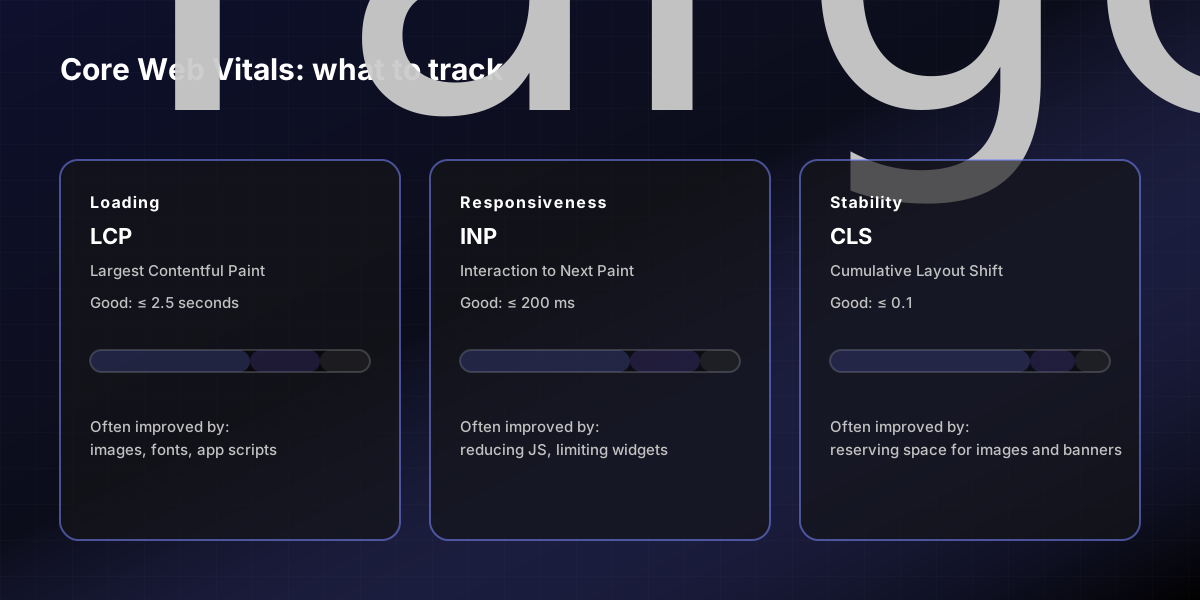
Core Web Vitals are designed to reflect real user experience. The current stable metrics are:
LCP (Largest Contentful Paint): loading experience, good if ≤ 2.5 seconds
INP (Interaction to Next Paint): responsiveness, good if ≤ 200 ms
CLS (Cumulative Layout Shift): visual stability, good if ≤ 0.1
Step 0 — Measure first (so you don’t optimize in the dark)
Pick 2–3 URLs that represent your revenue:
Home
One product page (PDP)
One collection page
Then measure using two types of data:
Field data (real users) — best signal when available Lab data (simulated) — useful for debugging changes
Practical tools:
PageSpeed Insights (includes both field + lab when available)
Chrome DevTools Lighthouse (lab)
Your own device testing on mobile data
Audit rule: Always capture a “before” screenshot + score for each page. Otherwise you’ll change five things and never know what helped.
Step 1 — Do the safe fixes first (no theme surgery)
These are the “won’t break your theme” improvements that often deliver most of the benefit.
1A) Compress and right-size images
Common Shopify speed killers:
Hero images that are far larger than they need to be
Multiple product images with no sizing strategy
Safe actions:
Replace oversized images with appropriately-sized versions
Prefer modern formats when your theme supports them
Avoid loading huge images above the fold if they don’t add value
1B) Reduce app bloat (without guessing)
Apps can add scripts, pixels, widgets, and extra network calls.
Safe actions:
Identify which scripts run on every page (especially third-party)
Remove or disable unused apps (don’t keep “just in case”)
If an app is needed, load it only where it matters (product page only, not site-wide)
1C) Fix layout shift caused by images and injected content
CLS often comes from:
Images without reserved space
Late-loading banners/popups
Fonts swapping unpredictably
Safe actions:
Reserve space for key elements (hero image, gallery)
Avoid shifting content under the CTA
Keep popups from moving the page after load
Step 2 — Use a safe vs risky framework (so you don’t break the theme)
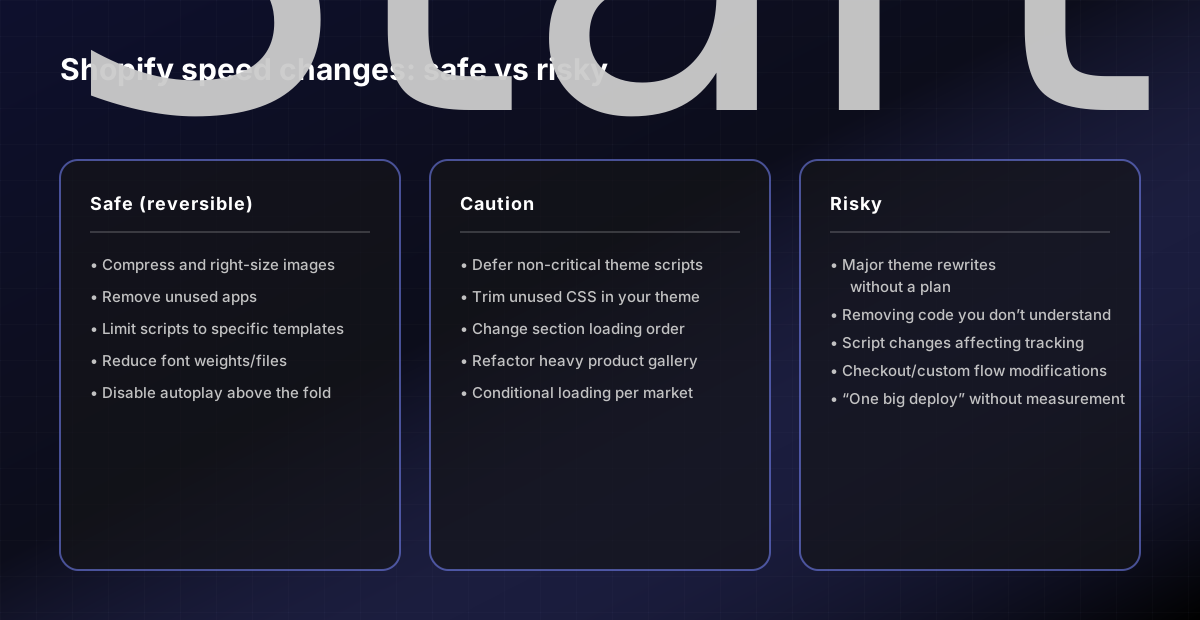
If you’re asking “should we do this?”, classify changes into three buckets:
Safe (reversible): configuration, asset changes, removing unused code
Caution: theme edits that can be reverted but affect templates/sections
Risky: changes that alter core theme behavior or checkout/custom flows
Copy/paste: Shopify performance optimization checklist for merchants (safe-first)
Use this as a checklist before you touch theme code.
| Check | What to look for | Why it matters | Safe fix | | -------------- | --------------------------- | --------------- | -------------------------------------- | | Image sizes | Huge hero/PDP images | Slows LCP | Resize/compress assets | | App scripts | Scripts on every page | Slows INP + LCP | Remove unused apps; limit scope | | Popups/banners | Late injected UI | Increases CLS | Reserve space; delay until interaction | | Fonts | Multiple font files/weights | Slows LCP | Reduce weights; preconnect if needed | | Video | Autoplay above fold | Slows LCP | Use poster; lazy-load below fold |
Step 3 — Theme-level optimization (only after safe wins)
Once the basics are done, you can consider theme-level work. This is where “how to improve Core Web Vitals on Shopify theme” becomes specific to your setup.
Examples of higher-effort improvements:
Reduce unused JavaScript/CSS from the theme
Defer non-critical scripts
Optimize sections that load heavy widgets
Improve above-the-fold rendering on PDPs
This is where it’s easy to break layout, tracking, or merchandising logic. Make one change at a time and re-measure.
Step 4 — A simple prioritization model for speed work
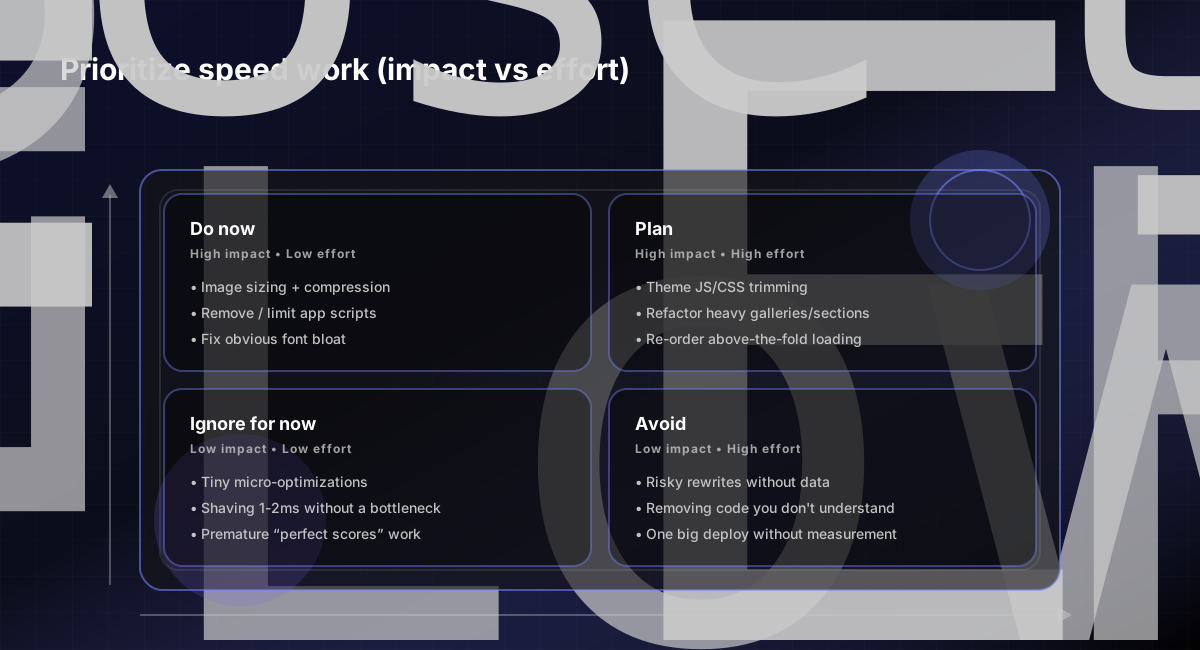
Speed projects can spiral. Use a simple prioritization grid:
High impact + low effort: do now
High impact + high effort: plan and schedule
Low impact: ignore (for now)
Related pages
Sources (primary)
web.dev: Web Vitals overview + thresholds: https://web.dev/vitals/
Google PageSpeed Insights: https://pagespeed.web.dev/
Google Search Central: Understanding Core Web Vitals and page experience: https://developers.google.com/search/docs/appearance/page-experience
FAQs
How to improve Core Web Vitals on Shopify theme without breaking it?
Start with safe fixes: compress/right-size images, remove unused apps/scripts, and reduce layout shift. Then move to theme-level changes (deferring scripts, trimming unused CSS/JS) one at a time with measurements.
What’s the fastest Shopify site speed win?
For most stores: image optimization + removing unused apps/scripts. Those changes often improve LCP and INP quickly without theme surgery.
Does Shopify site speed matter for SEO?
It can. Core Web Vitals and overall user experience are part of the broader quality picture in search. Speed also directly affects conversion rate.